Bloons TD 6 has been updated continuously since its 2018 release, and each major update pushes the minimum hardware requirements slightly higher. If you’re running a phone from 2018–2020, the question isn’t just “does it install?” — it’s “does it run well enough to actually be playable?” The answer in 2026 depends on your exact Android version and RAM configuration.
Bloons TD 6 APK Minimum Requirements (2026)
Ninja Kiwi’s official minimum requirements for Bloons TD 6 in 2026:
- Android version: Android 5.0 (Lollipop) minimum
- RAM: 2 GB minimum
- Storage: 500 MB for installation, 1 GB recommended for cache and updates
- GPU: OpenGL ES 3.0 support required
- Processor: 1.5 GHz quad-core minimum
Meeting the minimum requirements means BTD6 installs and launches. It does not mean BTD6 runs smoothly. On minimum-spec hardware, expect:
- Stable 30–60 FPS in early game rounds (1–40)
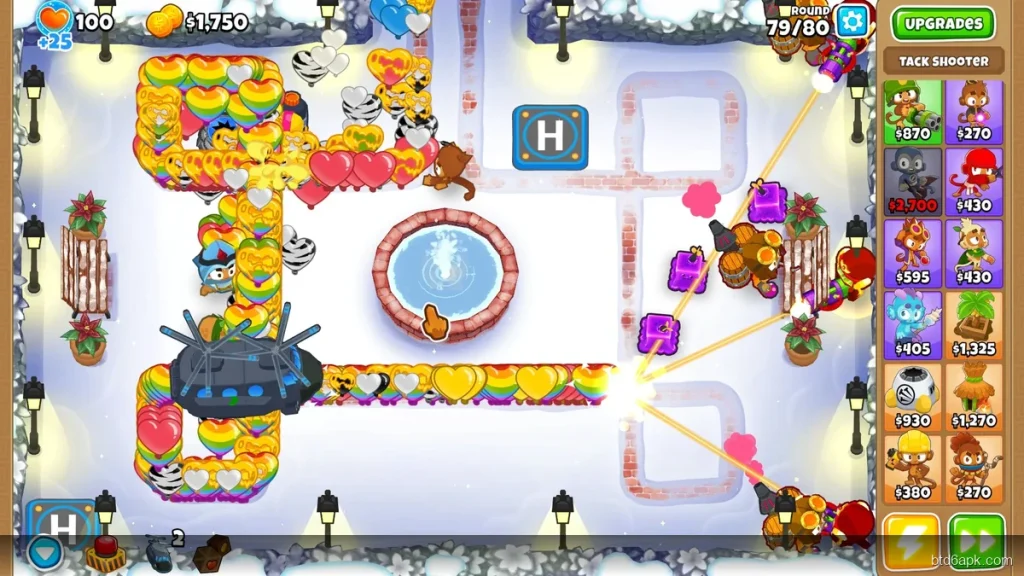
- Framerates dropping to 15–20 FPS in rounds 60–80 with heavy tower builds
- Potential crashes in round 100+ freeplay on minimum RAM devices
Which Android Versions Still Support Bloons TD 6 in 2026?
Bloons TD 6 officially supports Android 5.0 through the latest Android release in 2026. However, Google Play compatibility and direct APK installation have different constraints:
- Android 5.0–6.0 (2014–2015 devices): The game installs but runs poorly. These OS versions predate modern GPU drivers, which means rendering inefficiencies even on technically capable hardware. Playable in early rounds; late game is unreliable.
- Android 7.0–8.1 (2016–2017 devices): Runs BTD6 adequately on 3 GB+ RAM devices. With graphics set to Low and dynamic lighting disabled, rounds 1–80 are playable. Round 100+ freeplay is difficult.
- Android 9.0–10 (2018–2019 devices): This is the practical sweet spot for older hardware. Android 9+ handles BTD6 significantly better than older OS versions because of improved memory management and GPU scheduling. Most 3 GB RAM phones from 2018–2019 on Android 9+ run BTD6 stably through round 100.
- Android 11+ (2020 onward): Full compatibility, optimal performance scaling with hardware.
BTD6 Performance on Older Android Devices
Specific device performance in 2026 based on common older hardware:
- Samsung Galaxy S7 (Android 8.0, 4 GB RAM): Runs BTD6 at consistent 30–45 FPS through round 80. Late game drops to 20–25 FPS. Playable with graphics on Low.
- Xiaomi Redmi Note 5 (Android 9, 3 GB RAM): Stable 45–60 FPS through round 60. Drops to 25–35 FPS at round 80+. One of the better older-device experiences.
- Samsung Galaxy J6 (Android 8.0, 2 GB RAM): Minimum-spec device. BTD6 installs and runs through round 40 at 30 FPS. Round 60+ is slow and unstable. Not recommended for extended play.
- Huawei P20 Lite (Android 8.0, 4 GB RAM): Runs BTD6 at 45–60 FPS through round 70 on Low graphics. Good older-device experience for casual play.
BTD6 APK Older Versions — Should You Download Them?
Some players download older versions of Bloons TD 6 APK for older Android devices, assuming older builds run better on older hardware. This is partially true but comes with trade-offs:
Benefits of older BTD6 APK versions:
- Older builds had lower graphical complexity — fewer particle effects and simpler rendering on old hardware
- Some early versions had lighter APK sizes and lower RAM usage
Risks of older BTD6 APK versions:
- Old APK versions can’t connect to Ninja Kiwi’s servers for events, leaderboards, or cloud saves
- Monkey Knowledge, achievements, and Contested Territory require the current server API
- Older APKs don’t include heroes, maps, and game modes added after their release date
Our recommendation: download the current Bloons TD 6 APK and use the in-game graphics settings to reduce load, rather than running an outdated build with missing content. The performance difference between old and current builds on older hardware is smaller than the feature gap.
Tips for Running BTD6 on Old Android in 2026
- Set graphics to Low immediately on first launch: BTD6 defaults to Medium or Auto. On old hardware, switch to Low before playing your first round.
- Disable Dynamic Lighting: In Settings → Graphics, turn Dynamic Lighting off. This removes real-time shadow and lighting calculations — the biggest GPU drain on older devices.
- Reduce Particle Effects to Low: Late-game explosions and projectile effects generate hundreds of particle draw calls per second. Low particles cuts this by 60–70%.
- Play rounds at 1x speed: Running BTD6 at 2x or 3x speed doubles the per-second computation. Drop to 1x during heavy rounds on older hardware.
- Clear RAM before launching: On 2 GB RAM devices, close all background apps before opening BTD6. This recovers 300–500 MB of available memory.
For the complete BTD6 performance fix guide covering all nine settings that work on low-end Android, see our BTD6 lag fix guide.
If installation is failing on your older Android device rather than running poorly, our BTD6 APK not installing fixes covers all 9 installation error fixes for older Android versions.
On older Android hardware that struggles with the standard game, the BTD6 MOD APK has the same performance profile as the base game — no additional overhead from the MOD modifications. The engine and rendering are identical.
Troubleshooting BTD6 on Older Android Devices
If BTD6 installs but crashes on startup or mid-game on an older device, these targeted fixes solve 90% of reported issues:
Crash on Startup — Black Screen Fix
The black screen crash on older Android is almost always caused by an incompatible OpenGL ES version. BTD6 requires OpenGL ES 3.0, which is supported on Android 5.0+ but may not be enabled by default on some 2013–2015 budget phones. Check your GPU model in Settings → About Phone → Software info. If your device uses a Mali-400 or Adreno 305 GPU, it supports only OpenGL ES 2.0 and BTD6 will not run.
Game Crashes on Round 30+ (Out of Memory)
If BTD6 crashes consistently after round 25–30, your device is running out of RAM. The fix: before launching BTD6, close all other apps, clear recents, and restart your phone fresh. This frees 200–400 MB of RAM that Android’s background processes hold. Also set Display Quality to Low in BTD6 settings — this reduces VRAM usage by approximately 40%.
Download Verification Stuck on Old Android
After installing the APK, BTD6 downloads additional game data (~700 MB). On Android 6 and below, this verification step sometimes stalls at 99%. Fix: turn on Airplane Mode, wait 10 seconds, turn it off, then reopen BTD6. This resets the download verification without corrupting existing data.
Which Old Android Phones Run BTD6 Well in 2026?
Based on community testing in 2026, these older devices run BTD6 smoothly through round 80 with Low/Medium settings:
- Samsung Galaxy A50 (2019) — Exynos 9610, 4 GB RAM. Runs BTD6 at Medium quality with no lag until round 90+.
- Redmi Note 7 (2019) — Snapdragon 660, 3 GB RAM. Performs well on Low-Medium quality settings through Freeplay.
- Motorola G7 (2019) — Snapdragon 632, 4 GB RAM. Stable through round 100 on Medium settings.
- Samsung Galaxy A10 (2019) — Exynos 7884, 2 GB RAM. Runs on Low settings only; expect lag after round 70.
If your phone is older than 2018 with less than 3 GB RAM, BTD6 may technically install but will likely crash on later rounds. In that case, playing on Easy mode (fewer rounds, ends at 40) or Simple Difficulty maps reduces RAM usage significantly.
Frequently Asked Questions
What is the minimum Android version for Bloons TD 6?
Bloons TD 6 officially requires Android 5.1 (API level 22). Most Android phones manufactured from 2015 onwards meet this requirement.
Does BTD6 APK work on Android 6 or 7?
Yes — BTD6 works on Android 6 and 7. Performance may be limited on devices with less than 2 GB RAM, but the game installs and runs.
Can I install BTD6 APK on a rooted Android phone?
Yes — BTD6 works on rooted Android. Some anti-cheat features may detect root in competitive modes, but single-player and co-op both function normally.
How much storage does BTD6 APK require?
The base APK is around 87 MB. After installing with all downloaded game data files, BTD6 uses approximately 800 MB to 1.2 GB of total storage.